Cyber Insurance EDR Requirements Canada: What Insurers Expect in 2026
Canadian cyber insurers have significantly raised their expectations around endpoint detection and response (EDR) since 2023. EDR is now a standard underwriting requirement — not a recommendation — for most commercial cyber policies in Canada. If your endpoints don’t have verified EDR coverage, you may be declined or face restrictive exclusions at renewal.
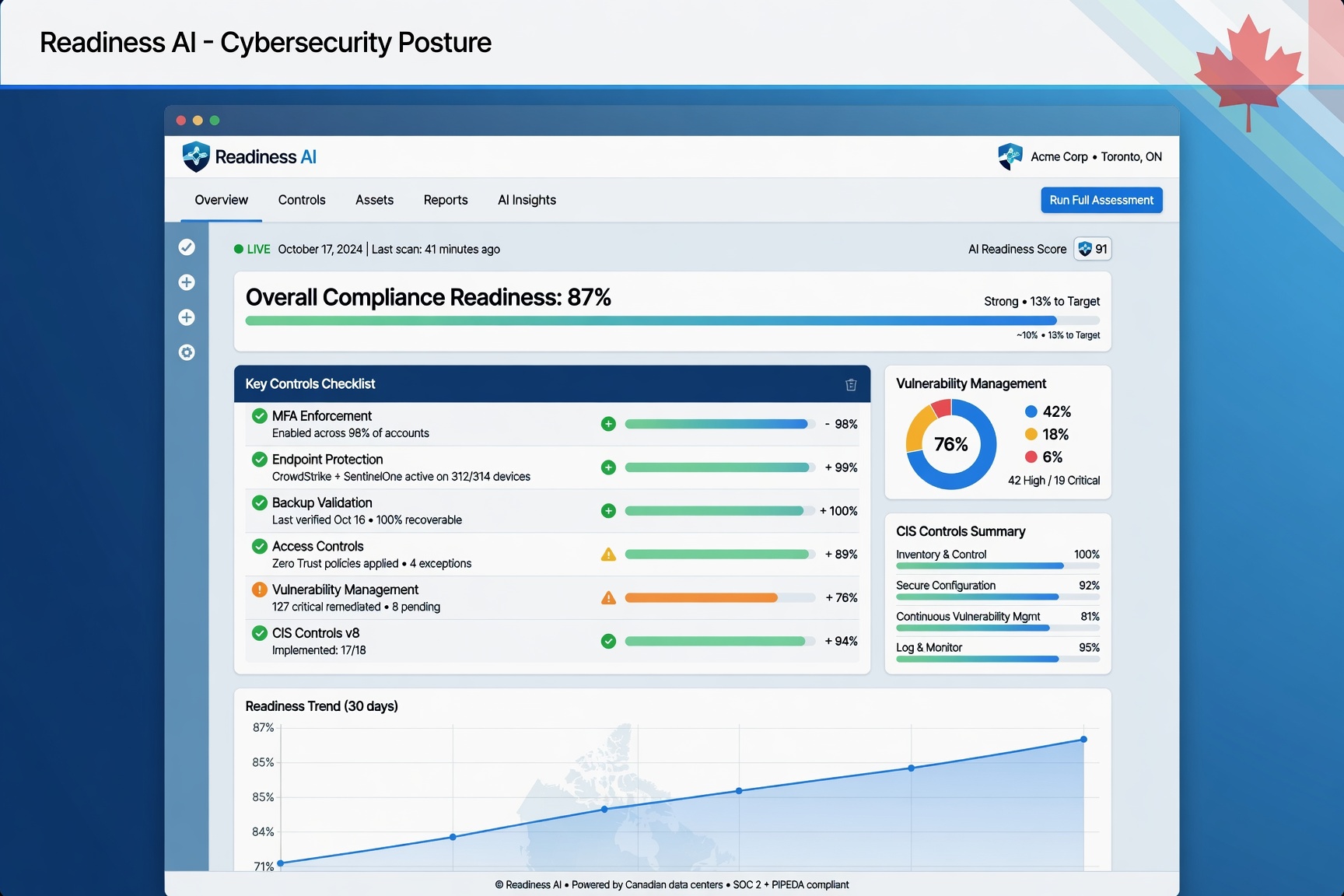
This guide explains exactly what insurers require, how they verify EDR controls, and what documentation Canadian SMBs need to produce to satisfy underwriters.
What Is EDR and Why Do Cyber Insurers Require It?
EDR (Endpoint Detection and Response) is a category of security software that monitors endpoints — laptops, desktops, servers — for malicious behaviour in real time. Unlike traditional antivirus, which matches known signatures, EDR uses behavioural analysis to detect threats that haven’t been seen before, including ransomware variants, lateral movement, and living-off-the-land attacks.
Cyber insurers require EDR because the most expensive claims — ransomware, business email compromise, and data exfiltration — almost always involve undetected endpoint compromise. Insurers have learned from claims data that organizations with verified EDR coverage experience significantly lower incident severity and faster recovery times.
Cyber Insurance EDR Requirements: What Insurers Assess
When Canadian insurers evaluate your EDR posture, they’re not just asking whether you have a product installed. They assess four specific dimensions:
1. Coverage Completeness
Insurers want to see EDR deployed on all endpoints — not just workstations. This includes servers (on-premises and cloud), remote worker laptops, and any device with access to sensitive data or administrative credentials. A common reason for claim denial or premium loading is partial EDR coverage — for example, desktops covered but servers unprotected.
Typical insurer threshold: 95–100% of managed endpoints must show active EDR coverage. Some carriers will accept 90% with a documented remediation plan for excluded devices.
2. Active Protection vs. Passive Monitoring
Many insurers distinguish between EDR deployed in detection-only mode and EDR with active prevention/response enabled. Detection-only configurations log threats but don’t block them automatically. Insurers increasingly require that EDR be configured in active mode — or that a managed security operations centre (SOC) is monitoring alerts 24/7.
If your EDR runs in passive mode, document why and what compensating controls exist. Some carriers will accept this with a formal explanation, but it may affect your premium.
3. Vendor Approval Status
Not all EDR products are treated equally by underwriters. Carriers typically maintain an internal list of approved or preferred EDR vendors. Common approved products in the Canadian market include CrowdStrike Falcon, SentinelOne, Microsoft Defender for Endpoint (Plan 2), Sophos Intercept X, and Huntress. Some carriers will not count legacy antivirus products — even “next-gen” branded ones — as EDR.
Before renewal, verify that your EDR product is on your insurer’s approved list. If you’re using a bundled endpoint protection suite (e.g., from your RMM platform), ask your broker whether it qualifies under the carrier’s EDR definition.
4. Evidence of Operation
Stating that EDR is deployed is not enough. Underwriters increasingly request documented evidence that EDR is actively running. Acceptable evidence formats vary by carrier but typically include:
- A management console screenshot showing all endpoints, their coverage status, and the last check-in timestamp
- A coverage report exported from the EDR platform listing device count, coverage percentage, and any exclusions
- An MSSP or MDR service agreement confirming managed monitoring of EDR alerts
- A recent threat detection log showing the platform is receiving telemetry
EDR Requirements by Policy Tier
EDR requirements in Canada vary based on coverage limits and industry sector:
| Coverage Limit | Typical EDR Requirement |
|---|---|
| Under $500K | EDR or next-gen AV; evidence of active deployment |
| $500K – $2M | Approved EDR product; coverage report required at renewal |
| $2M – $5M | Approved EDR + active prevention mode; SOC monitoring preferred |
| Over $5M | Enterprise EDR + managed SOC; may require third-party attestation |
Organizations in regulated sectors — healthcare, legal, financial services — face stricter requirements regardless of coverage limit. If you hold personal health information (PHI) or are subject to OSFI or FINTRAC oversight, expect insurer scrutiny at every renewal.
How to Prepare EDR Evidence for Your Renewal
Preparing EDR evidence before your renewal review puts you in a stronger position with brokers and underwriters. Here is what to collect:
Step 1: Run a Coverage Audit
Log into your EDR management console and export a full device list. Compare it against your asset inventory. Identify any endpoints that are offline, excluded, or not showing recent check-in activity. Flag servers and privileged workstations with elevated access — these are the devices insurers scrutinize most.
Step 2: Screenshot the Dashboard
Capture a timestamped screenshot of your EDR management console showing overall coverage percentage, number of protected endpoints, and the date of the export. This is the most common format insurers accept as point-in-time evidence.
Step 3: Document Your Configuration
Note whether your EDR is in detect-only or active prevention mode. If you have exclusions (e.g., certain legacy systems that can’t run EDR agents), document the compensating controls in place — network isolation, monitoring, or restricted access.
Step 4: Confirm Vendor and Version
Record the EDR product name, vendor, and version. Some carriers require that EDR software is on a current, supported release. Running an unsupported version may be treated the same as having no EDR at all.
Step 5: Assemble the Evidence Package
Combine your coverage report, dashboard screenshot, and configuration notes into a single evidence document or folder. Label it clearly with the date and your organization name. This package should be ready before your broker submits your renewal application — not assembled under deadline pressure.
For a complete template of what this evidence package should contain, see the sample cyber insurance evidence pack used by Canadian SMBs on the Readiness AI platform.
EDR and MFA: The Paired Requirement
EDR and MFA are almost always evaluated together by underwriters. A carrier that sees verified EDR but weak MFA will still be concerned — most ransomware entry points exploit credential theft, which MFA prevents. Conversely, strong MFA without EDR means threats that get through have unchecked lateral movement capability.
For detailed requirements on the MFA side of this pairing, see the cyber insurance MFA requirements guide for Canadian SMBs.
Common EDR-Related Reasons for Claim Denial in Canada
Understanding the claim implications helps illustrate why insurers take EDR so seriously. Common EDR-related denial or dispute scenarios in Canadian cyber claims include:
- Material misrepresentation: Applicant stated EDR was deployed on all servers, but post-incident forensics revealed several servers had no EDR agent. Insurer denied the claim citing inaccurate application response.
- Non-approved product: Applicant had “endpoint protection” deployed but the product did not meet the carrier’s EDR definition (no behavioural detection capability). Insurer applied a sublimit rather than full coverage.
- Detection-only mode: EDR was in passive mode with no alerting to a human operator. The policy required active response capability. Coverage was disputed.
Frequently Asked Questions
Does Microsoft Defender count as EDR for cyber insurance in Canada?
Microsoft Defender for Endpoint Plan 2 (available through Microsoft 365 Business Premium or standalone) is generally accepted as EDR by most Canadian insurers. The free Microsoft Defender included with Windows does not qualify — it lacks the behavioural detection, response, and centralized management console that underwriters require. If you’re using Defender, confirm you’re on Plan 2 and that it’s configured in active mode through a central admin portal.
What if we use an MSP and the EDR is managed by them?
If your MSP manages EDR on your behalf, you still need evidence. Ask your MSP for a coverage report from their management console showing your specific endpoints. Some insurers also ask for the MSP’s service agreement confirming EDR management scope. Don’t assume the MSP will prepare this automatically — request it as part of your renewal preparation.
How often do insurers ask for EDR evidence at renewal?
The frequency varies by carrier and coverage limit. At limits under $1M, many carriers rely on the renewal questionnaire without requesting documentation. At limits above $1M, and especially at renewal after a claim or near-miss, carriers increasingly request actual screenshots or coverage reports. Building the evidence habit before you need it prevents scrambling under renewal deadlines.
Can we pass EDR requirements if some legacy servers can’t run agents?
Possibly. Most carriers allow documented exceptions for legacy systems that technically cannot support EDR agents, provided you have compensating controls: network segmentation, restricted administrative access, and enhanced monitoring. The key is proactive documentation — a written exception register with compensating controls is far better than silence on excluded devices.
For the complete picture of what Canadian insurers require across all controls — MFA, EDR, backups, patching, and incident response — see the cyber insurance controls guide for Canada.
For the complete guide to cyber insurance requirements for Canadian small businesses — covering all five control areas — see the Small Business Cyber Insurance Requirements in Canada guide.
To build a complete evidence package that covers EDR, MFA, and backup controls together, start your Readiness AI review for your Canadian SMB.
Insurers increasingly require evidence of EDR operation rather than simple attestation. Acceptable evidence includes: a console-generated report showing all endpoint agent statuses and last-check-in timestamps; a screenshot of the EDR dashboard showing active coverage; or a signed statement from your IT provider specifying the product, version, and deployment scope. Ensure the report is dated within 90 days of your application submission.
EDR in the Context of Broader Cyber Insurance Requirements
EDR is one of three baseline requirements that Canadian insurers consistently apply as conditions for coverage. The other two are verified, immutable backups and enforced MFA. For a complete view of all controls insurers verify, see the full cyber insurance requirements guide for Canada. To prepare your evidence package before your next renewal, use the cyber insurance renewal checklist. For understanding how EDR fits into your broader application, review the cyber insurance questionnaire preparation guide.
For the complete guide to small business cyber insurance requirements in Canada — covering all five control areas with implementation guidance — see Small Business Cyber Insurance Requirements in Canada.