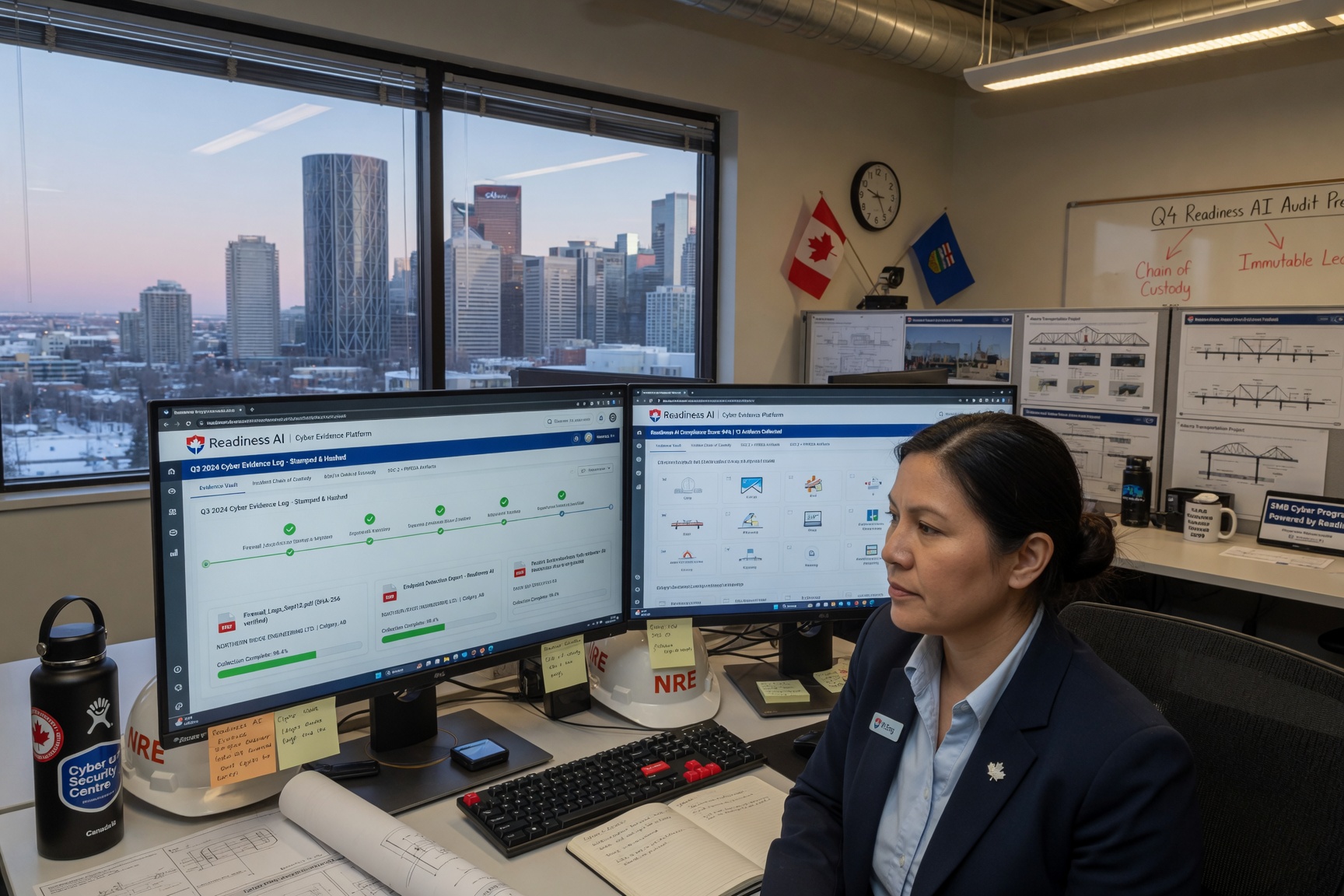
Every year, more Canadian small and mid-sized businesses receive a vendor security questionnaire from a client, insurer, or procurement team — and most are not prepared to answer it properly.
Answering “Yes” is easy. Proving it is harder.
According to IBM’s Cost of a Data Breach Report, third-party involvement is now a factor in over 15% of all data breaches, and organizations increasingly require documented evidence of security controls before onboarding a new vendor. In Canada, the federal government’s procurement frameworks, combined with growing enterprise supply chain requirements, mean that security questionnaires are no longer just a Fortune 500 problem — they land in the inboxes of law firms, accounting practices, healthcare clinics, IT managed service providers, and logistics companies with fewer than 200 employees.
This guide explains what a vendor security questionnaire actually is, why it matters, what the major frameworks look like, and — most importantly — how to answer one in a way that builds trust rather than raises flags. It also covers what separates a business that passes a client security review confidently from one that stalls deals for weeks scrambling to gather screenshots and policy documents.
What Is a Vendor Security Questionnaire?
A vendor security questionnaire (also called a third-party security questionnaire, vendor risk assessment questionnaire, or VRAQ) is a structured set of questions that an organization sends to its suppliers, service providers, or technology partners to assess their cybersecurity posture before — or during — a business relationship.
The organization sending the questionnaire is typically called the assessor or buying organization. The company filling it out is the vendor or respondent.
The goal is straightforward: before sharing data, granting system access, or entering a contract, the buying organization wants assurance that the vendor’s security controls meet a minimum acceptable standard.
What a Vendor Security Questionnaire Is Not
A vendor security questionnaire is not the same as a penetration test (it does not actively probe your systems), a SOC 2 audit (it does not produce an independent third-party attestation), or a one-time checkbox exercise — once answered, most enterprise clients require annual re-assessment or evidence refresh.
It is, in essence, a structured trust-building exercise. But trust without evidence is just an assertion.
Why They Matter More Than Ever in 2025–2026
The threat landscape and the regulatory environment have converged to make vendor security assessments a routine part of doing business.
Supply chain attacks are on the rise. The SolarWinds, MOVEit, and 3CX incidents demonstrated that a single compromised vendor can expose hundreds of downstream organizations simultaneously. Enterprise procurement and IT security teams have responded by increasing scrutiny of all third-party relationships — including small and mid-sized suppliers.
Cyber insurance underwriting has tightened significantly. Canadian insurers increasingly require evidence of third-party risk management controls when underwriting or renewing policies. Simply answering “Yes” to questionnaire questions without documented evidence has become a red flag, not a reassurance.
Regulatory obligations are expanding. Canada’s Bill C-26 signals that sectors previously exempt from formal third-party oversight requirements will soon face them. PIPEDA’s accountability principle already requires organizations to ensure adequate protection of personal information shared with third parties. Quebec’s Law 25 goes further, requiring documented vendor assessments for personal data transfers.
Enterprise procurement now expects it. Large Canadian organizations — banks, healthcare networks, government departments, professional services firms — routinely include vendor security questionnaires in their procurement process. For a small vendor, failing to respond thoroughly can mean losing the contract.
Common Questionnaire Types: SIG, CAIQ, Custom, and More
There is no single universal vendor security questionnaire. What you receive depends largely on the size of your client, their industry, and the frameworks they follow. The most common formats are:
The SIG Questionnaire (Standardized Information Gathering)
The SIG (Standardized Information Gathering) questionnaire, maintained by Shared Assessments, is one of the most widely used third-party risk assessment tools in North America. It covers 20 risk domains and is available in two versions: the full SIG and the SIG Lite (a shorter version for lower-risk relationships). The SIG is particularly common in financial services, healthcare, and insurance sectors. It maps to frameworks including NIST CSF, ISO 27001, SOC 2, HIPAA, and GDPR.
The CAIQ (Consensus Assessments Initiative Questionnaire)
The CAIQ, published by the Cloud Security Alliance (CSA), is specifically designed for cloud service providers and their customers. It maps to the CSA Cloud Controls Matrix (CCM) and is frequently required by organizations evaluating SaaS, IaaS, or PaaS vendors. If you sell cloud-based software or services, expect to encounter the CAIQ.
Custom Client Questionnaires
Many large enterprises build their own questionnaires, often derived from SIG or NIST frameworks but tailored to their specific risk appetite. These can range from 20 questions to 400+.
Cyber Insurance Application Questionnaires
Not strictly a vendor assessment, but highly relevant for Canadian SMBs: cyber insurance applications ask many of the same questions. The controls your insurer asks about — MFA, backups, endpoint protection, email authentication — are the same ones your enterprise clients ask about. One evidence set, multiple use cases.
NIST SP 800-161 Supply Chain Risk Management
For vendors selling to US federal government contractors or Canadian companies following NIST frameworks, NIST SP 800-161 provides a structured supply chain risk management (C-SCRM) framework. Questions derived from this framework focus on software bill of materials, third-party component security, and incident response obligations.
The Core Control Categories and Sample Questions
Regardless of which questionnaire format you receive, almost all vendor security assessments cover the same core control domains. Understanding these categories helps you prepare evidence in advance rather than scrambling per-questionnaire.
1. Access Control and Identity Management
This is consistently the highest-scrutiny area in 2025–2026 questionnaires, driven by the prevalence of credential-based attacks. Sample questions include: Do you require multi-factor authentication (MFA) for all users accessing business systems? How are user accounts provisioned and de-provisioned when staff join or leave? Do you maintain a privileged access management (PAM) policy? How often do you review access permissions?
What clients actually want to see: Not just “Yes, we have MFA” — but evidence that MFA is enforced, that offboarding procedures are documented, and that access review logs exist.
2. Endpoint Security
Key questions: Do you use endpoint detection and response (EDR) or antivirus software on all devices? Are all endpoints enrolled in a mobile device management (MDM) or remote monitoring and management (RMM) platform? How do you handle personal devices accessing company systems (BYOD policy)?
3. Data Protection and Encryption
Key questions: How is data classified and handled? Is data encrypted in transit (TLS 1.2+) and at rest? Where is customer data stored — in Canada, the US, or other jurisdictions? Do you have a data retention and disposal policy?
Note for Canadian SMBs: Data residency questions are increasingly common. Clients subject to Quebec’s Law 25 or federal privacy obligations may require your data to remain in Canada or in approved jurisdictions.
4. Network Security
Key questions: Do you use a firewall and network segmentation? Is remote access restricted to VPN or zero-trust access methods? Do you have network monitoring or intrusion detection in place?
5. Vulnerability and Patch Management
Key questions: How quickly are critical patches applied to systems and software? Do you conduct regular vulnerability scans? How do you handle end-of-life (EOL) software and operating systems?
6. Backup and Recovery
Key questions: Do you maintain regular backups of critical business data? Are backups stored offsite or in a separate cloud environment from production? How often do you test backup restoration?
Common gap: Most SMBs have backups. Very few can prove restore tests have been performed and documented.
7. Incident Response
Key questions: Do you have a documented incident response plan (IRP)? Have you experienced any security incidents or data breaches in the last 24 months? How quickly would you notify a client if their data were affected by a breach? Do you carry cyber liability insurance?
8. Email and Communication Security
Key questions: Do you have SPF, DKIM, and DMARC configured for your email domain? Do you use email filtering or anti-phishing tools? Do you provide security awareness training to staff on phishing?
9. Third-Party and Subcontractor Risk
Key questions: Do you use third-party vendors, subcontractors, or cloud providers that process client data? Do you assess the security posture of your own vendors? Do you have data processing agreements (DPAs) with subprocessors?
10. Policies, Governance, and Compliance
Key questions: Do you have a documented information security policy? Is your organization certified or audited against any standard (ISO 27001, SOC 2, NIST CSF)? Who is responsible for information security in your organization? Do you conduct annual security risk assessments?
SIG vs. CAIQ vs. Custom: A Framework Comparison
| Feature | SIG (Full) | SIG Lite | CAIQ | Custom Client |
|---|---|---|---|---|
| Maintained by | Shared Assessments | Shared Assessments | Cloud Security Alliance | Individual organization |
| Number of questions | 1,000+ | 200–300 | ~261 | 20–400+ |
| Primary target | All vendor types | Lower-risk vendors | Cloud/SaaS providers | Varies |
| Framework alignment | NIST, ISO 27001, SOC 2, HIPAA, GDPR | Same, condensed | CSA CCM, ISO 27001, SOC 2 | Varies |
| Common industries | Financial, healthcare, insurance, government | Same (broad use) | Technology, SaaS, cloud | Any |
| Completion time (SMB) | 10–40 hours | 3–8 hours | 4–10 hours | 1–20 hours |
| Canadian relevance | High (financial sector) | High (broad use) | High (SaaS/tech vendors) | Very high (enterprise procurement) |
Key takeaway: If you serve enterprise clients across industries, you are most likely to encounter SIG Lite or a custom questionnaire. If you sell cloud software, expect CAIQ. If you have financial services clients, expect a full SIG. Building evidence for the common control areas serves you across all of them.
How to Respond to a Vendor Security Questionnaire
Receiving a questionnaire and completing it are two very different things. Here is a repeatable process for responding to a vendor security questionnaire professionally and efficiently.
Step 1: Triage the Questionnaire Before You Answer
Before writing a single response, read the questionnaire end to end and assess: What framework does it appear to follow? What is the submission deadline? Are there any questions your organization genuinely cannot answer positively — and if so, can you document compensating controls? Are attachments or evidence files requested in addition to answers?
Rushing straight to answering without understanding scope leads to inconsistency and gaps that sharp security reviewers will notice.
Step 2: Assign Ownership
Do not let the questionnaire sit with one person who does not have visibility across all systems. Typical ownership: your IT or MSP contact handles network, endpoint, patch posture, and backup status; your operations lead handles policy documentation, offboarding procedures, and access reviews; leadership handles insurance details, incident history, and governance questions.
For SMBs without a dedicated security team, this is often three or four people coordinating via email — which is where delays and inconsistencies creep in.
Step 3: Gather Evidence Before Drafting Answers
This is the step most SMBs skip, and it is where client security reviews stall or fail. For each control area, locate and organize: screenshots of configurations (e.g., MFA enabled in Microsoft 365 admin portal), policy documents (information security policy, backup policy, incident response plan), exports or reports (patch reports from your RMM, user access lists, restore test records), and certifications or audit reports (SOC 2 report, ISO 27001 certificate, cyber insurance declarations page).
If you cannot locate evidence for a control, this is a signal that the control may not be fully implemented — or that it is implemented but undocumented. Both are problems. Address them before submitting.
Step 4: Draft Responses Accurately and Specifically
Avoid vague or inflated answers. “We take security seriously” does not pass a reviewer. Specific, accurate, verifiable answers build trust.
| Weak answer | Strong answer |
|---|---|
| “Yes, we use MFA.” | “MFA is enforced for all user accounts via Microsoft 365 Conditional Access. Administrators are subject to a separate privileged access policy. Evidence available on request.” |
| “We back up our data regularly.” | “Daily incremental backups are performed to a separate cloud region via our backup platform. Monthly restore tests are conducted and documented. Last successful restore test: [Date].” |
| “We have a security policy.” | “Our Information Security Policy was last reviewed [Date] and is maintained in our document management system. A copy is available upon request.” |
Step 5: Review, Package, and Submit
Before submitting: have a second person review answers for consistency and accuracy; ensure any requested attachments are included and labelled clearly; note which questions you answered with caveats or compensating controls; and keep a copy of the completed questionnaire and evidence package for your records.
Step 6: Maintain and Refresh
A completed questionnaire is not a permanent asset. Controls change, staff turn over, systems are updated. Build a habit of reviewing and refreshing your evidence pack at least annually — and ideally before any major renewal cycle or new client onboarding season.
What Clients Actually Look For (Beyond the Answers)
Security reviewers at enterprise organizations see hundreds of vendor questionnaire responses. They are not just reading answers — they are looking for patterns.
Consistency. If you claim MFA is enforced everywhere but your incident response plan references a shared admin password for recovery, that contradiction raises a flag.
Specificity. Vague answers (“We use industry-standard security tools”) are treated as weak answers. Named tools, specific configurations, and referenced evidence documents signal that the controls are real.
Evidence, not attestation. Increasingly, clients ask for supporting documentation rather than accepting self-attestation. A screenshot of your MFA configuration carries more weight than a checked box.
Incident history transparency. Saying “No, we have never had a breach” when one is publicly documented is an immediate trust failure. If you have had an incident, describe it honestly and explain what was done to remediate.
Signs of an ongoing program, not a one-time exercise. Questions about policy review dates, access review frequency, and restore test recency are designed to determine whether security is practiced continuously or performed only when a questionnaire arrives.
How to Build an Evidence-Ready Security Program
The most effective way to pass a vendor security questionnaire is not to prepare for questionnaires — it is to maintain ongoing evidence of the controls you claim to have. This is the distinction between answering a questionnaire and proving your security posture.
1. Documenting What You Already Have
Most SMBs have more security controls in place than they realize. The problem is that configurations live in admin portals, vendor dashboards, and IT provider systems — not in a format a client reviewer can evaluate. Start by exporting your MFA configuration status from Microsoft 365 or Google Workspace admin, pulling your most recent patch report from your RMM or MDM platform, downloading your most recent backup log with a restore test record, checking your email domain’s DMARC, SPF, and DKIM records, and compiling your current user access list.
2. Addressing the Gaps You Find
During the evidence gathering process, you will likely find controls that are partially implemented or undocumented. Common gaps for Canadian SMBs include: MFA configured but not enforced for all accounts (particularly admin accounts); backups that exist but restore tests that have never been run or documented; DMARC set to monitoring mode (p=none) rather than enforcement; information security policies that have not been reviewed in three or more years; and no formal offboarding process leaving former employees with active accounts.
Each of these is fixable. Addressing them before a questionnaire arrives means you are never caught off-guard.
3. Maintaining a Living Evidence Pack
A cyber readiness evidence pack is a structured collection of control status documentation that is kept current and can be shared selectively with insurers, clients, or auditors. At minimum, it should include a control status summary (what is confirmed, what is partial, what is missing), specific evidence artifacts per control area, notes on blind spots or compensating controls, and the date of last review for each control area.
This is precisely what Readiness AI organizes for Canadian SMBs — so that when a questionnaire or renewal arrives, the evidence is ready rather than being assembled from scratch under deadline pressure.
→ See a sample evidence pack →
Common Mistakes That Fail a Client Security Review
Vendor security questionnaires are not difficult to answer if your security program is real and documented. Most failures come from predictable, avoidable mistakes.
Answering aspirationally rather than accurately. Describing the security program you intend to have rather than the one you currently have. Reviewers conducting follow-up calls or requesting evidence will expose this immediately — and the damage to trust is severe.
Delegating to someone who doesn’t own the systems. Having the marketing coordinator or office manager fill out a questionnaire about MFA configurations and backup procedures is a recipe for inaccurate answers.
Skipping the evidence attachment. Many questionnaire platforms allow — or require — file uploads. Failing to include evidence when it is available signals either disorganization or that the control doesn’t actually exist.
Over-claiming certifications. Listing ISO 27001 as “in progress” when it has been “in progress” for three years, or implying SOC 2 certification when only a readiness assessment has been performed.
Not reading the question carefully. “Do you use MFA?” and “Is MFA enforced for all privileged accounts?” are different questions. Answering “Yes” to the first when the second is not true creates a discoverable inconsistency.
Treating the questionnaire as a one-off. Submitting a questionnaire and filing the answers away means next year’s renewal starts from zero. Maintaining a current evidence pack means the next questionnaire takes hours, not weeks.
Automating and Streamlining Questionnaire Responses
For organizations that receive multiple security questionnaires per year, manual completion becomes unsustainable. Several categories of tools can help.
Questionnaire response libraries (mid-market and enterprise). Platforms like Vanta, Drata, Secureframe, and OneTrust allow security teams to build a centralized response library — approved answers mapped to common questionnaire questions — that can be reused and updated. These tools are typically designed for mid-market and enterprise organizations with dedicated security or compliance staff.
Evidence automation and continuous control monitoring. A growing category of tools integrates directly with your Microsoft 365, Google Workspace, backup platforms, and endpoint management tools to continuously collect evidence of control status — so you know what you can prove at any given moment, not just what you claim. This evidence-first approach is increasingly the standard that enterprise clients and cyber insurers expect.
The practical approach for Canadian SMBs. For most Canadian SMBs — a 15-to-150-person professional services firm, healthcare clinic, or technology company — the right approach is to organize existing evidence into a structured, shareable format, address gaps and document compensating controls, keep the evidence pack current with defined review intervals, and use the same evidence set for client questionnaires, cyber insurance renewals, and internal governance.
Vendor Security Questionnaire Template (Starter)
The following is a condensed starter template covering the highest-priority control areas for a typical Canadian SMB. This is a self-assessment tool to identify gaps before a questionnaire arrives — not a substitute for a full SIG or custom client questionnaire.
| # | Control Area | Question | Answer Options | Evidence to Gather |
|---|---|---|---|---|
| 1 | Access Control | Is MFA required for all user accounts? | Yes / Partial / No | Screenshot of MFA configuration in admin portal |
| 2 | Access Control | Is MFA enforced for all administrator/privileged accounts? | Yes / Partial / No | Conditional Access or privileged access policy evidence |
| 3 | Access Control | Is there a documented process for removing access when employees leave? | Yes / No / In Progress | Offboarding checklist or HR/IT procedure document |
| 4 | Access Control | How frequently are access permissions reviewed? | Monthly / Quarterly / Annually / Ad hoc | Access review log or ticket record |
| 5 | Endpoint Security | Is EDR or managed antivirus deployed on all endpoints? | Yes / Partial / No | Endpoint management dashboard screenshot |
| 6 | Endpoint Security | Are all endpoints enrolled in an MDM or RMM platform? | Yes / Partial / No | Device inventory from MDM/RMM |
| 7 | Patch Management | What is your target SLA for applying critical security patches? | <24h / <7 days / <30 days / Ad hoc | Patch report export from RMM/MDM |
| 8 | Backup & Recovery | Are daily backups of critical business data performed? | Yes / No | Backup vendor log or dashboard screenshot |
| 9 | Backup & Recovery | Are backups stored separately from production environments? | Yes / No | Backup configuration documentation |
| 10 | Backup & Recovery | Have restore tests been performed and documented in the last 12 months? | Yes / No | Restore test record with date and result |
| 11 | Email Security | Is DMARC configured for your primary email domain? | Yes (enforcement) / Yes (monitor only) / No | DMARC DNS record check |
| 12 | Email Security | Are SPF and DKIM records configured for your email domain? | Yes / Partial / No | SPF/DKIM DNS record check |
| 13 | Incident Response | Do you have a documented incident response plan? | Yes / In Progress / No | IRP document with last review date |
| 14 | Incident Response | Have you experienced any security incidents or breaches in the last 24 months? | Yes (describe) / No | Incident log or declaration |
| 15 | Insurance | Do you carry cyber liability insurance? | Yes / No | Insurance declarations page |
| 16 | Data Protection | Is customer data encrypted in transit and at rest? | Yes / Partial / No | Configuration documentation or vendor attestation |
| 17 | Data Protection | Where is customer data stored? (jurisdiction) | Canada / US / EU / Other | Cloud provider region documentation |
| 18 | Policies | Do you have a current, reviewed information security policy? | Yes / In Progress / No | Policy document with last review date |
| 19 | Third-Party Risk | Do you use third-party vendors or subcontractors that process client data? | Yes / No | Vendor list with DPA/contract references |
| 20 | Training | Do employees receive regular security awareness training? | Yes (annual+) / Ad hoc / No | Training platform record or attestation |
Frequently Asked Questions
What is the difference between a vendor security questionnaire and a security audit?
A vendor security questionnaire is a self-reported assessment completed by the vendor. A security audit is conducted by an independent third party who verifies controls through direct examination of systems, documentation, and processes. Questionnaires rely on the vendor’s honesty and the quality of their evidence; audits provide independent verification. SOC 2 Type II reports are a form of independent audit that can supplement questionnaire responses.
How long does it take to complete a vendor security questionnaire?
For a SIG Lite or a typical custom client questionnaire, a well-prepared SMB with organized evidence can complete a response in two to four hours. For a full SIG or a questionnaire from a heavily regulated client, expect five to fifteen hours of work spread across multiple people — more if evidence needs to be gathered from scratch. This is the single strongest argument for maintaining an evidence pack year-round rather than preparing per-questionnaire.
What happens if I cannot answer “Yes” to a control question?
Honesty is always the right approach. Options include: documenting a compensating control (an alternative measure that achieves the same protective outcome), explaining a control that is in-progress with a target completion date, or providing context about why the control does not apply to your environment. Falsifying a questionnaire response exposes you to contract liability and damages trust irreparably if discovered.
Do Canadian SMBs really receive enterprise security questionnaires?
Yes — increasingly so. Any SMB that handles data belonging to enterprise clients, operates in regulated industries (healthcare, legal, finance, government supply chain), or sells services through procurement portals should expect to complete a vendor security questionnaire. Healthcare information managers, financial advisors, IT managed service providers, and legal firms are among the most common SMB recipients in Canada.
What is the SIG Lite questionnaire?
The SIG Lite is a condensed version of the Shared Assessments Standardized Information Gathering (SIG) questionnaire. It covers the same 20 risk domains as the full SIG but with fewer questions, making it appropriate for lower-risk vendor relationships. It typically contains 200–300 questions and is widely used in North American financial services and insurance supply chains.
How does a vendor security questionnaire relate to cyber insurance?
The overlap is significant. Cyber insurance applications ask about the same core controls — MFA, backups, endpoint protection, email authentication, patch management, incident response — that client security questionnaires ask about. Evidence organized for one purpose is directly useful for the other. This is why Canadian SMBs benefit from treating cyber readiness evidence as a single, maintained asset rather than a per-use preparation exercise.
What is the CAIQ questionnaire used for?
The Consensus Assessments Initiative Questionnaire (CAIQ), published by the Cloud Security Alliance, is primarily used to assess cloud service providers. If you sell SaaS, host client data in cloud infrastructure, or provide cloud-based professional services, your clients may request a completed CAIQ. It maps to the CSA Cloud Controls Matrix and aligns with ISO 27001, SOC 2, and other frameworks.
Should I get ISO 27001 or SOC 2 certified to pass questionnaires?
For most Canadian SMBs, full ISO 27001 certification or SOC 2 Type II is not a prerequisite for passing vendor questionnaires — but having one dramatically reduces the evidence burden, as the certification itself serves as an independent attestation. More practically, most SMBs can pass the questionnaires they receive by having well-documented, genuinely implemented controls with current evidence, even without formal certification.
Conclusion and Next Steps
A vendor security questionnaire is not a bureaucratic nuisance. It is a structured opportunity to demonstrate that your organization takes security seriously — and that the controls you say you have are real, current, and provable.
For Canadian SMBs, the challenge is not answering the questions. The challenge is maintaining the evidence that makes those answers credible. The businesses that navigate client security reviews confidently are not necessarily the ones with the biggest security budgets or the longest compliance program. They are the ones that have organized their existing controls, documented what they have, addressed the gaps, and kept that evidence current.
The questions are easy. The proof is what matters.
Ready to Know What Your Security Evidence Actually Looks Like?
Readiness AI helps Canadian SMBs organize cyber control evidence for insurance renewals, client security reviews, and compliance workflows. Start with a readiness review to see what you can prove — and where the gaps are — before a questionnaire lands in your inbox.
Or view a sample evidence pack → to see how organized evidence is structured before a client review.
Last reviewed: May 2026. Readiness AI publishes and updates this content to reflect current vendor assessment practices, Canadian regulatory developments, and cyber insurance underwriting trends.